
What the sign-in form asks for
Signing in to Seven Casino takes the registered email address and the password. The form for them opens from LOG IN in the top right corner beside SIGN UP, with a Log in button under the two fields. The same form carries the Forgot password? link and a Sign up link for a new account, so a reset starts from the place where the sign-in failed. One account per player holds the balance, the active bonus and the payment history, which is why access is tied to the address used at registration.
Signing in step by step
To sign in to a Seven Casino account, follow these steps:
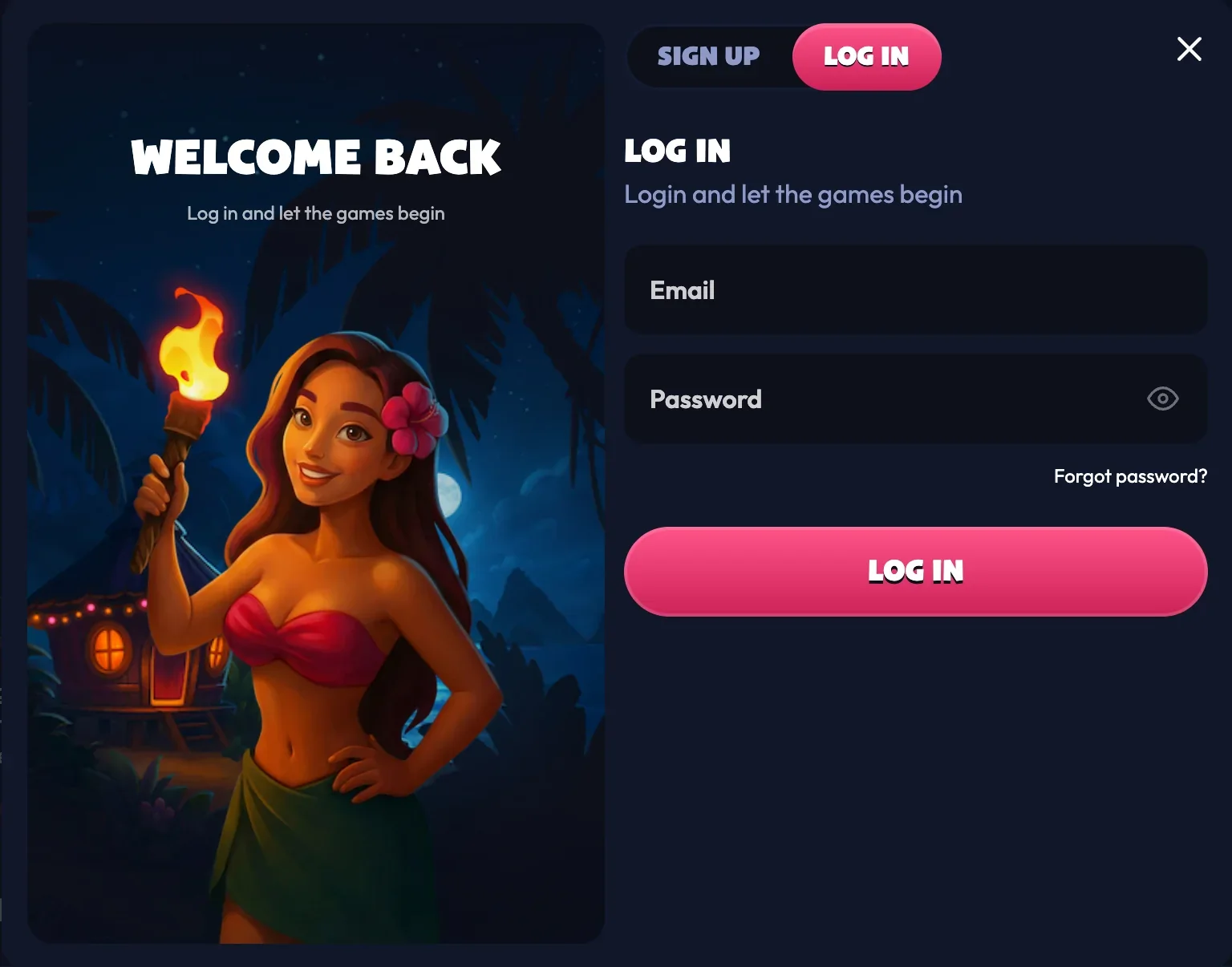
- Press LOG IN in the top right corner of any page.
- Enter the email address the account is registered to.
- Enter the password.
- Press Log in.
The balance, the active bonus and the wagering progress load with the session, and the cashier keeps its place in the sidebar. The account opens in the currency chosen at registration — euro, Canadian dollar or Australian dollar — and every deposit, bet and payout stays in it.
Password reset
To reset a forgotten password:
- Press Forgot password? on the sign-in form.
- Enter the email address the account is registered to.
- Press Send Link.
- Open the letter that arrives, follow its instructions and set a new password.
The letter goes to the registered address only, so the reset stays available to the account owner. A password that still works elsewhere is worth changing after the reset: support never asks for a password, in the mailbox or in live chat.
| Situation | What to do | Where it leads |
|---|---|---|
| Password forgotten | Forgot password on the sign-in form | Reset letter to the registered email |
| Email address changed | Write to support from the registered address | Details are updated by the support team |
| Documents under review | Wait for the KYC verdict, usually within 48 hours | Full access once the check clears |
| Account closed on request | The closure holds for 30 days | Reactivation through live chat or email |
When access takes a pause
Access is limited in three cases, and each one has a stated way back. The most common is verification: a first payout request or deposits above €2,000 in total start the KYC check, and payouts become available again once the documents are accepted, usually within 48 hours.
A closure request keeps the account shut for 30 days under the terms, and after that live chat or an email to support reopens it. Self-exclusion works the same way, with the request sent to [email protected] from the registered address. Account details such as a name or a phone number are changed through support rather than in the profile, so the record matches the documents at verification.
Closing the account and coming back
A closure is requested in live chat with the reason and the timeframe stated, and open bets are settled before the account is closed. The closure runs for 30 days, and reactivation afterwards goes through live chat or an email to support from the registered address.
Self-exclusion follows its own track: the request goes to [email protected], bets placed before it stand and settle on the official results, and winnings from them are collected once the period ends. A self-exclusion period runs for its full length and cannot be shortened, so the duration is chosen once.
Keeping the account yours
Four rules cover account security:
- Keep the password to yourself: support never asks for it.
- Use two-factor authentication when it is offered as an extra layer.
- Pay from a card or wallet in your own name, since that name is checked at the first payout.
- Sign in from your own connection, so the location matches the account record.
Signing in from a phone
The Seven Casino UK login form is the same in the mobile browser as on a desktop: the same address, the same two fields, and the session carries the account, the balance and the active bonus across. Which sections wait behind the sign-in is set out in how Seven Casino is set up. The sidebar folds into a menu button, while LOG IN stays in the top right corner. A session belongs to one account, so on a shared device it is worth signing out after play.
If the form does not let you through
Live chat is the fastest route: the headset icon at the foot of the sidebar connects to a human agent around the clock. Letters go to [email protected] from the registered address, while [email protected] handles cases that need escalating.
Once the session opens, the welcome and weekly offers are claimed from the Promotions entry.
FAQ
What does Seven Casino login need?
The registered email address and the password, entered in the form behind the LOG IN button in the top right corner.
How is a password reset?
Through Forgot password on the sign-in form: the reset letter goes to the registered email address.
Can one player hold two accounts?
One account per player is the rule, and it keeps the balance, the bonus and the payment history in one record.
Why would a payout wait after signing in?
A first request goes through KYC — a photo ID, a selfie with it and an address document, usually reviewed within 48 hours.
Does the account work on a phone?
Yes, through the mobile browser at the same address, with the same login details and the same balance.